
How to Register
There is no sign-up form on this website
Your QQiROSE account is created inside the game client, on the login screen. It takes about a minute and you only do it once.
Doing it in the client rather than on a web page means your password never travels through a website, and there is no web database holding your details.
Step 1 — Download and start the game
Get the client from the Downloads page, extract it, and run the launcher. It will patch itself and then open the game.
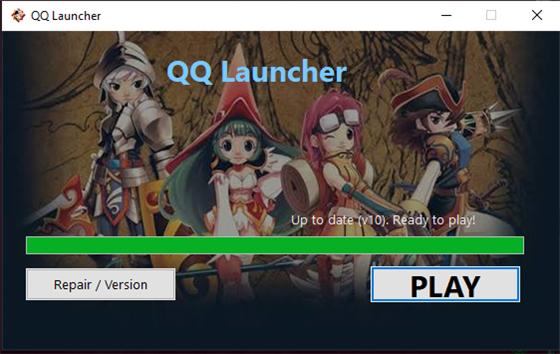 The QQ Launcher — press PLAY once it says up to date.
Step 2 — Press "Sign Up" on the login screen
On the login window, click Sign Up. The registration panel opens beside it.
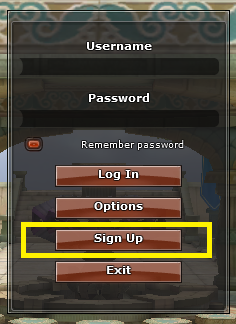 The login screen. Sign Up is the third button.
Step 3 — Fill in your details
Choose a username and password, confirm the password, and enter an e-mail address and your mother's name. The last one is your security answer — it is what lets you change your password later, so pick something you will not forget.
- Username — at least 4 characters, letters and numbers.
- Password — type it twice so we know it is what you meant.
- Email — used only for account recovery.
- Mother's Name — your security answer. Remember it.
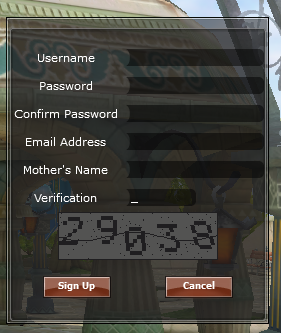 Fill in the fields, then type the digits shown in the image.
Step 4 — Type the verification digits
Below the form is a small image with five digits in it, sent by the server when the window opened. Type those five digits into the Verification box, then press Sign Up.
If you get it wrong, a fresh image appears automatically and your details stay filled in — you never have to type the form again.
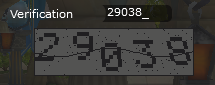 The verification digits come from the server — type exactly what you see.
Step 5 — Log in and play
Account created! You can now log in. Go back to the login screen, enter the username and password you just chose, and you are in.
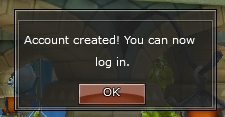 Done. Log in with the username and password you just chose.
Forgot your password?
You can change it from the character-select screen using the mother's name you gave at sign-up. That is also done in the client — there is nothing to reset on this site.
Get the Client
You need the game before you can register. The download is on the Downloads page.
Stuck?
Ask in Discord and someone will walk you through it.
